

 |
Goals: In our design, we set out to create the Lonely Planet PAPR Tokyo! guidebook in an electronic format, and to build off of the unique affordances of the epaper medium. We sought to:
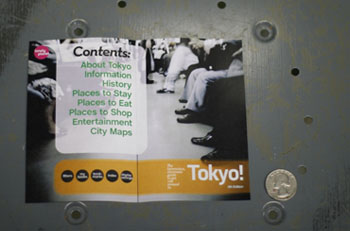
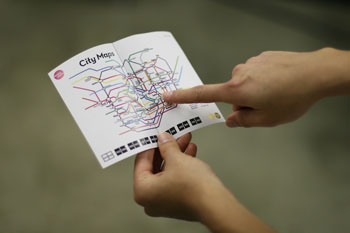
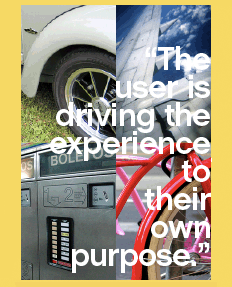
Design Approach: We approached the Lonely Planet PAPR Tokyo! project as an interface that merges the old with the new. It maintains the look and feel of a traditional book, but is lightweight, portable, customizable and sharable. With this in mind, we created two main features: Filters and Minibooks. The Filter feature allows the reader to only show the information in the book that is pertinent to him at the time of his interaction with the book. The reader can filter out whatever he does not want to view, and choose to show, for example, only top end steakhouses within a 20-mile radius. Everything else will be filtered out and hidden to allow the reader to navigate directly to what he wants to view. The Minibooks feature allows the reader to curate the information in the main book, to extract the information he likes or deems important and save it as an exported “Minibook” file. The reader can then name the minibook and share the minibook with others by exporting it to their PAPR. The Minibook feature allows the reader to create mini-guides, to curate and select relevant information, and to reconfigure the content of the books to his own purpose. The Target Audience: The Lonely Planet PAPR Tokyo! guide book is designed to be used by road ready travellers of the future. The target audience is the young traveller in the 18-35 year old age range, with a desire to take a long an experienced voice to look to for guidance while out exploring the world. PAPR: We designed the Lonely Planet PAPR Tokyo! to be used on PAPR, a fictitious electronic paper of the future. PAPR is a touch screen epaper; it looks and feels just like regular paper, can be folded and bent, and has full touch and gesture recognition capabilities. These capabilities allow the user to interact with it in multiple ways, utilizing the touch screen for more specialized interaction and the gestures for a natural reading experience. Specifications: Dimensions: 3.25 x 5
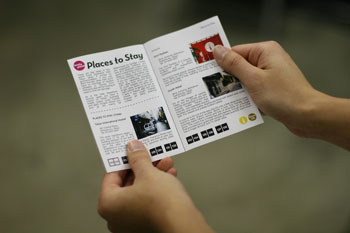
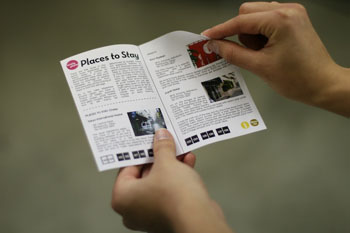
The Interface: The interface relies on both touch screen and gesture recognition to allow the user to navigate through the PAPR book. There are two modes of interaction: Reading Mode, which relies solely on gestures, and Options Mode, in which the user utilizes the touch screen to toggle settings on and off, and to navigate through the various user-customizable preferences. This bimodal interface allows the user to navigate through the PAPR book as if it were a real book, flipping pages as if it were a real book, but to also perform specialized interactions with the device. In Reading Mode, there are three main gestures for reading:
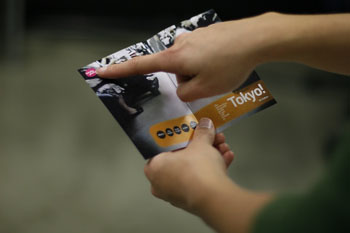
The Close: From any page, the user closes the book and opens it again. This brings the user back to the Title Page. The user can perform The Close again to return to the last page he was on. These gestures allow for a more natural, familiar reading experience. In Options Mode, the reader utilizes his index finger to select his way through a series of preferences and settings. In this way, the reader is able to customize and curate the book to his own purposes. |
 |